
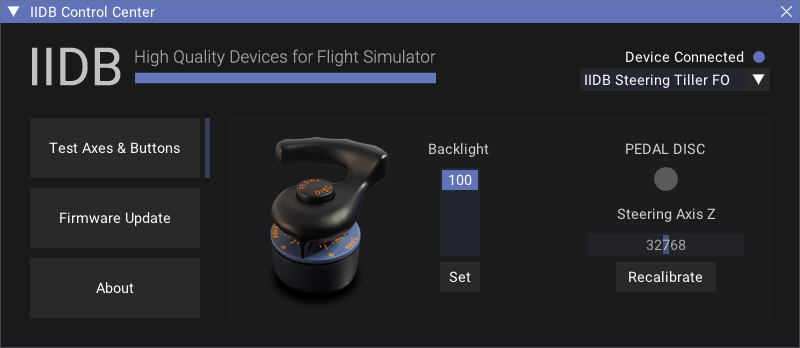
Features
- Axes and Buttons Test
- The Backlight Control Settings
- Controlling the Backlight via a Flight Simulator
- Recalibration Process Control
- Firmware Update
- Standalone / Portable
- Very Low CPU Consumption
- No Internet Required
Current Version
0.3.0 – Public Beta
Release Notes
Starting with version 0.3.0, we’ve added a build with an installer that includes all the necessary Windows components for full IIDB Control Center functionality. This build is recommended for most users.
Currently, the simulator’s backlight control feature is only available for the Fenix A3XX and FlyByWire A32NX.
Other aircraft add-ons will be added over time in future versions of the tool.
If you need to control the backlighting in other aircraft add-ons, you can use open source MobiFlight app. IIDB devices is fully integrated to use with any aircraft if MobiFlight supports it.
Download
IIDB Control Center Setup (Windows 10/11 x64) ~ 25 Mb (Recommended)
IIDB Control Center Standalone (Windows 10/11 x64) ~ 700 Kb
Troubleshooting
Important: If the app isn’t functioning properly and you see ‘Device Firmware: Unknown Firmware’ in the Firmware Update section, please contact us via the email thread in your order or the email specified in the “Contact Us” section for further instructions.
If you’re having trouble updating your device’s firmware or the app isn’t working properly, we strongly recommend downloading and setup the build with the installer. This build includes all the necessary Windows components for full functionality.